



Introduction
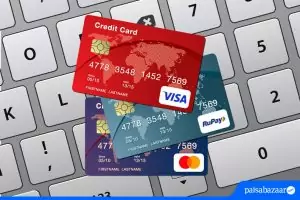
The National Payments Corporation of India (NPCI) has made significant strides in transforming the payments ecosystem in India with innovative solutions like RuPay, NPCI UPI, NPCI Fastag, and NPCI BHIM. However, in the battle of RuPay versus Visa/Mastercard, one major challenge remains—the international acceptance gap limiting RuPay’s global ambitions. Bajaj Pay, a BBPS-enabled platform available on the Bajaj Finserv App and website, offers a seamless way to manage payments, including zero fees and zero convenience charges on all transactions. Whether you’re making bill payments or exploring payment methods like RuPay, Bajaj Pay simplifies the process for users across India.
What is the international acceptance gap and how does Bajaj Pay make payments easier?
The international acceptance gap refers to the limited recognition of RuPay cards outside India, especially in comparison to global giants like Visa and Mastercard. These international payment networks have established partnerships across major markets worldwide, ensuring acceptance of their cards at millions of merchant locations and ATMs globally. RuPay, despite its domestic popularity, has limited outreach for supporting international transactions.
Global travelers often prefer payment solutions that work seamlessly across borders—a gap RuPay has been striving to fill through strategic partnerships, like those with Discover and JCB. However, as of now, Visa and Mastercard remain the go-to options for travelers who prioritize ease of spending internationally.
For users navigating payment systems locally, Bajaj Pay significantly reduces the hassle. As an all-in-one platform, Bajaj Pay allows users to conduct transactions for RuPay, Visa, Mastercard, and other payment modes without the burden of extra fees. Whether you’re paying bills, recharging your phone, or using NPCI services like Fastag or BHIM, Bajaj Pay makes it accessible and cost-effective through its secure BBPS-enabled infrastructure, strengthened by an efficient NPCI link. Available on the Bajaj Finserv App and website, Bajaj Pay seamlessly connects you with domestic payment networks without complication.
Features of seamless payments on Bajaj Pay
- Reliability: Bajaj Pay runs on a BBPS-certified and RBI-regulated secure payment platform.
- Zero fees: Users enjoy zero convenience charges on all payments, transfers, and recharges.
- Platform accessibility: Payments can be made through either the Bajaj Finserv App or Bajaj Pay website.
- Multiple payment modes: Options include UPI, Net Banking, debit or credit cards, including RuPay, Visa, and Mastercard.
- Real-time confirmations: Instantly receive payment confirmation and shareable digital receipts.
- Extensive coverage: Bajaj Pay connects users to a wide network of billers, service providers, and operators.
- Auto-pay functionality: Ideal for recurring transactions such as bill payments or mobile recharges.
- 24/7 availability: Users can access payment options whenever needed, ensuring uninterrupted service.
Top 5 services integrated with Bajaj Pay
- Bharat Sanchar Nigam Limited (BSNL): Telecom operator offering nationwide coverage and seamless prepaid and postpaid mobile recharges.
- Reliance Jio: Leading telecom provider offering recharge options for mobile data, calls, and internet services.
- Indian Oil Corporation: Service provider for fuel purchases and other utility bill payments.
- Paytm Payments Bank: Popular digital wallet and payment provider accessible for money transfers and bill payments on Bajaj Pay.
- NPCI Fastag: Hassle-free toll payments using Fastag, linked to your vehicle registration and available on Bajaj Pay.
Things to keep in mind before initiating payments
- Document readiness: Keep your consumer ID, mobile number, or account details handy for smooth transactions.
- Due dates: Verify deadlines for bills or payments to avoid penalties or disruptions in service.
- Operator checks: Confirm merchant or operator details before proceeding with any payment.
- Auto-pay setups: Set up auto-pay options for recurring bills to ensure timely payment without reminders.
- Explore rewards: Check the Offers and Rewards section on Bajaj Pay for cashback deals or promotions.
- Internet stability: Ensure a strong internet connection while initiating your transactions to avoid errors or delays.
- Keep records: Download and save digital receipts for future reference and dispute resolution.
Benefits of paying through Bajaj Pay
- Zero fees for transactions: All payments on Bajaj Pay are free—no hidden charges or convenience fees. Whether you’re recharging your phone or using NPCI services like BHIM, the platform guarantees cost-effective payment options.
- Reward points and cashback: Bajaj Pay rewards users for eligible transactions. You can enjoy exclusive cashback offers and discounts from various partners through the app’s Offers section.
- Secure and trusted platform: Bajaj Pay operates under BBPS certification, ensuring secure transactions powered by Bajaj Finserv’s robust financial infrastructure. End-to-end encryption assures data safety.
- Convenience and flexibility: Avoid the hassle of switching platforms by managing all payments, including FASTag tolls, bill payments, recharges, and money transfers, in one place.
- Instant confirmation: Every transaction offers real-time updates and digital receipts, keeping users informed and records accessible for future use.
How to initiate payments using the Bajaj Finserv App
Follow these simple steps to make any payment or recharge using the Bajaj Finserv App:
- Step 1: Open the Bajaj Finserv App on your smartphone or visit the Bajaj Pay website through your browser.
- Step 2: Log in with your registered mobile number or create a new account if you’re a first-time user.
- Step 3: Navigate to the relevant section on the home screen, such as Bill Payments, Recharge, FASTag, Money Transfer, or Offers.
- Step 4: Select the desired operator, biller, or service provider from the available list.
- Step 5: Enter the required consumer details such as account ID, registered mobile number, or vehicle registration number.
- Step 6: Verify the payment amount and choose your preferred payment method—options include NPCI UPI, debit cards (including RuPay), credit cards, Net Banking, or wallet payments.
- Step 7: Confirm the transaction and download or share your digital receipt for future reference.
Conclusion
While RuPay continues to grow its international presence, bridging the acceptance gap against Visa and Mastercard is essential for the National Payments Corporation of India to bolster RuPay’s global ambitions. For users in India, simplifying payments with platforms like Bajaj Pay can make managing transactions—whether with RuPay or other payment options—far more efficient and rewarding. By offering zero fees, impeccable security, and real-time confirmations, Bajaj Pay ensures affordability and convenience for all users. Download the Bajaj Finserv App today or visit the Bajaj Pay website to experience seamless, secure, and cost-effective payment services with RuPay and beyond.
Table of Contents

