Introduction
In the data-driven landscape of business, the ability to convey complex information in a clear and compelling manner is essential. Data visualization serves as the bridge between raw data and actionable insights, transforming numbers and statistics into meaningful stories. This article explores the art of data visualization in business reporting, highlighting its importance, best practices, and the impact it can have on decision-making.
Clarity and Accessibility
Data visualization simplifies complex datasets, making information more accessible to a wide audience. Instead of sifting through tables and spreadsheets, stakeholders can quickly grasp key trends, patterns, and insights. This clarity is vital for efficient decision-making at all levels of an organization.
Storytelling with Data
Effective data visualization goes beyond presenting facts; it tells a story. By carefully selecting visual elements and arranging them in a meaningful sequence, data visualizations can convey a narrative that resonates with the audience. This storytelling aspect enhances the impact of the information presented.
Understand Your Audience
Before creating visualizations, it’s crucial to understand the audience and their level of familiarity with data. Tailor visualizations to match the expertise of the audience, ensuring that the information is neither oversimplified nor overly complex.
Simplicity and Clarity
Simplicity is key to successful data visualization. Avoid unnecessary embellishments and focus on conveying the core message clearly. Use a clean design, choose a limited color palette, and eliminate non-essential elements to prevent visual clutter.
Selecting Appropriate Charts and Graphs
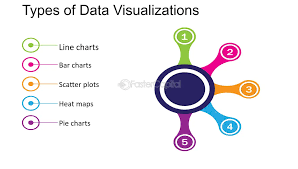
Different types of data call for different visualization methods. Bar charts are effective for comparing quantities, line charts for showing trends over time, and pie charts for displaying proportions. Select the visualization type that best communicates the intended message.
Interactive Visualizations
Consider incorporating interactive elements into visualizations, especially for online or digital reports. Interactive features allow users to explore data dynamically, drilling down into specific details or filtering information based on their interests. This engagement enhances the user experience.
Data Labels for Precision
Include data labels directly on the visual elements to provide precision. This is especially important when the exact values are crucial for interpretation. Well-placed data labels eliminate the need for users to refer to a separate legend or data table.
Annotations for Context
Annotations add context to data visualizations. They can highlight significant events, explain anomalies, or provide additional information that enhances the audience’s understanding. Thoughtful annotations guide viewers through the story being told by the data.
Consistent Design Elements
Maintain consistency in design elements across different visualizations. Use the same color scheme, fonts, and styling to create a cohesive and professional appearance. Consistency contributes to a unified visual identity for the report.
Choosing the Right Tools
Numerous tools and software are available for creating data visualizations, ranging from Excel and Google Sheets to more advanced platforms like Tableau and Power BI. Choose a tool that aligns with your organization’s needs, user skill levels, and budget constraints.
Conclusion
The art of data visualization in business reporting is a powerful tool for transforming complex information into actionable insights. By prioritizing clarity, embracing best practices, choosing appropriate visualization types, incorporating labels and annotations, maintaining consistency, and leveraging the right tools, organizations can unlock the full potential of their data. Effective data visualization not only facilitates informed decision-making but also communicates a compelling narrative that resonates with stakeholders.
Table of Contents