



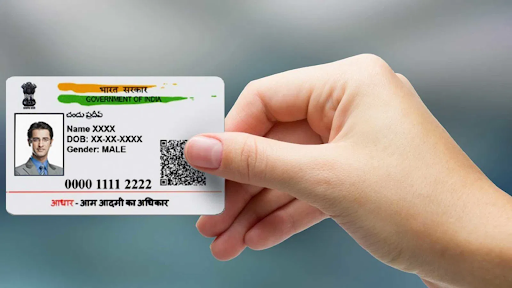
The Aadhaar card is one of the most crucial government-issued identity documents in India. It is a 12-digit unique identification number assigned to every citizen by the Unique Identification Authority of India (UIDAI). Whether you are enrolling for Aadhaar for the first time or updating your details, keeping track of its status is essential. Checking your Aadhaar status online is easy, quick, and free. Through the UIDAI website, you can find out whether your Aadhaar has been successfully generated or updated using your enrolment ID (EID) or Aadhaar number.
This article will explain the step-by-step process for how to check Aadhaar status online, and additionally, provide insights on how to verify your Aadhaar card’s authenticity.
Why Is Checking Aadhaar Status Important?
Before diving into the process, it’s important to understand why checking your Aadhaar status is necessary. The Aadhaar number is used for various government schemes and services, financial transactions, and identity verification. If you’ve applied for a new Aadhaar card or requested updates in your details, confirming the status ensures there are no delays in availing benefits tied to your Aadhaar card.
How to Check Aadhaar Status Online Using Enrolment or Aadhaar Number
The UIDAI has provided an online facility to check your Aadhaar card status using two different options:
- Using the Enrolment ID (EID):
During your initial enrolment at an Aadhaar centre, you are provided with an acknowledgement slip containing a 14-digit Enrolment ID (EID) along with the date and time stamp. If you are waiting for your Aadhaar number to be generated for the first time, this ID will help you check its status. - Using the Aadhaar Number:
If you already have an Aadhaar card but made updates to your information, such as your mobile number, name, or address, you can check the status directly using your Aadhaar number.
Here are the steps to check Aadhaar status online:
Step 1: Visit the UIDAI Website
Go to the official UIDAI website at https://uidai.gov.in. This platform offers all Aadhaar-related services, including status tracking.
Step 2: Click on “Check Aadhaar Status”
On the homepage, navigate to the “My Aadhaar” section. From the dropdown menu, click on “Check Aadhaar Status.”
Step 3: Enter Your Details
- For Enrolment ID: Enter the 14-digit Enrolment ID and the date-time stamp printed on the slip provided during your enrolment.
- For Aadhaar Number: Enter your existing 12-digit Aadhaar number in the relevant field.
Step 4: Captcha Verification
Enter the security captcha shown on the page to verify your input.
Step 5: Submit the Details
Click the “Check Status” button to view your Aadhaar status. If your Aadhaar has been generated or the update has been processed successfully, you will receive the confirmation notice. You can then download your Aadhaar card or visit a nearby Aadhaar centre for a physical copy.
How to Check Fake Aadhaar Card
Given the increasing adoption of Aadhaar for various purposes, ensuring its authenticity is vital. Fake Aadhaar cards can lead to identity theft and fraud. If you are wondering how to check fake aadhaar card, it is important to follow the official verification process. Here’s how to verify your Aadhaar card to confirm it’s legitimate:
Step 1: Visit UIDAI’s Official Website
Go to https://uidai.gov.in.
Step 2: Click on “Verify Aadhaar Number”
Under the “My Aadhaar” section, click on the “Verify Aadhaar Number” option.
Step 3: Enter Your Aadhaar Number
Input the 12-digit Aadhaar number mentioned on your card.
Step 4: Complete Captcha Verification
Enter the captcha displayed on the screen and hit “Submit.”
Step 5: Results Display
If your Aadhaar number is valid and genuine, the system will confirm the authentication. Alternatively, if the system detects an invalid card, it notifies you immediately.
Additionally, check whether your Aadhaar card details are verifiable via QR codes printed on physical Aadhaar cards. Use the UIDAI-provided mAadhaar mobile app to scan and verify.
Important Tips to Remember While Checking Aadhaar Status
- Always use the official UIDAI website for Aadhaar-related services to avoid fraud.
- Keep your Enrolment ID or Aadhaar number secure and confidential.
- Avoid sharing Aadhaar details on unverified platforms or with unauthorized personnel.
Conclusion
Whether you are waiting for Aadhaar enrolment confirmation or the completion of Aadhaar updates, knowing how to check Aadhaar status online ensures you stay informed about the process. The UIDAI platform makes this task simple and convenient. Additionally, regularly verifying the authenticity of your Aadhaar card helps you avoid complications caused by fake documents.
With the ease of tracking and verifying Aadhaar status online, you can maintain the credibility of your Aadhaar card and safeguard your identity with confidence. Remember, your Aadhaar card is a gateway to a wide range of services, so make use of these tools to stay ahead.
Table of Contents

